Assembly
Announcements, a picture and a countdown to the next big event.
- Assembly
- Low prep
- Free
Use this template
It opens on your board as a new screen in your account. If you are not signed in, you sign in first.
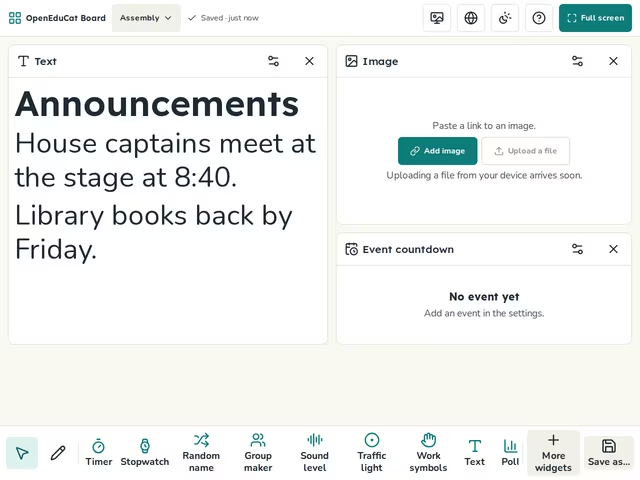
On the screen
- Text
- Image
- Event countdown
How to use it
- Type this week's announcements.
- Add a picture by link, or choose a built-in picture.
- Add the event and its date in the countdown.
Tip
Use full screen on the hall projector.
About this template
- Level
- Primary, Middle school, and High school
- Category
- Assembly
- Screens
- 1 screen
By OpenEduCat · Published November 1, 2026