Peer feedback
A feedback prompt, a visual timer and the whisper symbol.
- Check-ins
- No prep
This template is from a Teacher Plus pack. All 40 templates stay free.
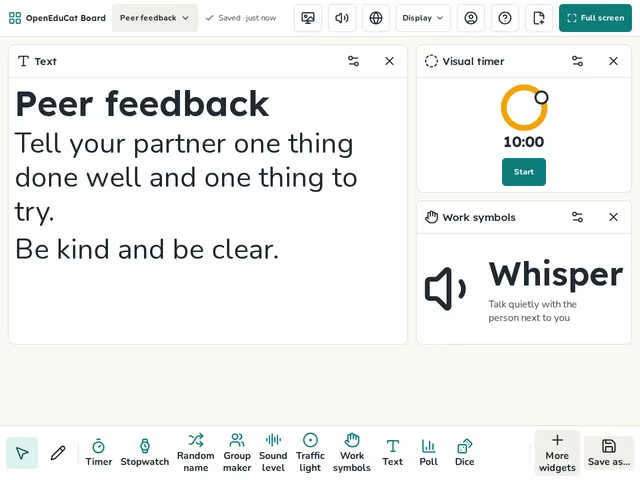
On the screen
- Text
- Visual timer
- Work symbols
How to use it
- Put students in pairs and swap their work.
- Start the timer while they read.
- Give time to make one change.
Tip
Ask for one thing done well and one thing to try.
About this template
- Level
- Primary, Middle school, and High school
- Category
- Check-ins
- Screens
- 1 screen
By OpenEduCat · Published November 5, 2026